Scheduled Digests
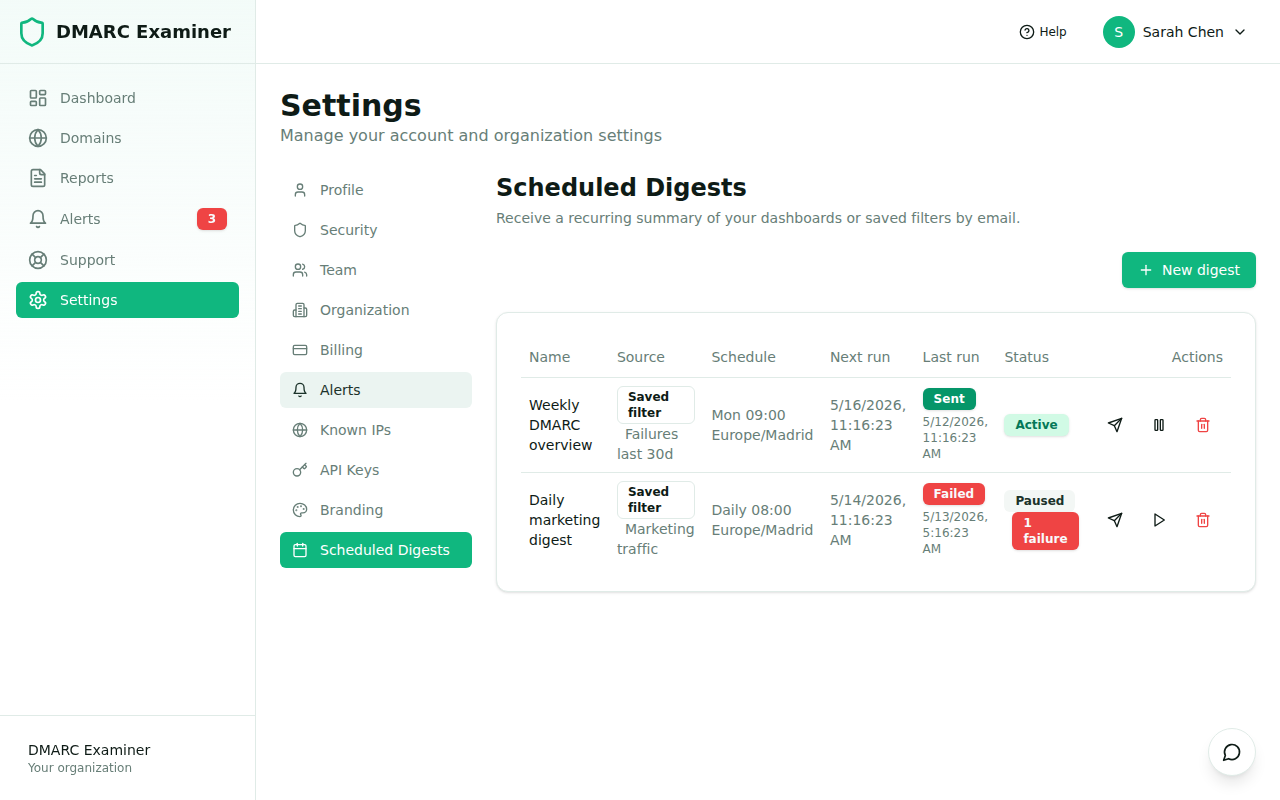
Scheduled Digests push the views that matter to you into your inbox on a recurring cadence — daily, weekly or monthly — so you don't have to remember to log in. Each digest points at either a Dashboard or a Saved Filter and renders the latest snapshot when it fires.
Plan: Scheduled Digests are available on the Pro plan and above (feature flag
advancedAlerts).
Where to find it
Go to Settings → Scheduled Digests. You'll see two areas:
- Your digests — table of every digest you've created, with its next run, last run status, and pause/resume/delete controls.
- Create digest wizard — four-step flow to add a new one.
Creating a digest
The wizard walks you through four steps:
- Source. Pick a Dashboard or a Saved Filter as the content for this digest.
- Cadence. Daily / weekly / monthly. For weekly choose a day-of-week; for monthly choose a day-of-month (1–28).
- Time and timezone. Hour of day in the timezone you select (any valid IANA identifier —
Europe/Madrid,America/New_York, etc). We honor DST transitions, so 09:00 local stays 09:00 local across spring-forward / fall-back. - Name and schedule preview. Give the digest a name. You'll see a live preview of when the first run will fire based on your cadence and timezone settings, then save.
You can also toggle Send if empty — if disabled, runs with zero matching reports are skipped silently and next_run_at advances normally.
What gets sent
| Source type | Email content |
|---|---|
| Dashboard | Header with company branding, snapshot of every widget for the last 7 days, deep link back to the live dashboard. |
| Saved filter | Header with company branding, top 50 matching reports with reporter / date / records / pass rate columns, deep link back to the live filter. |
If your organization has Branded Exports (Ultimate plan), the digest uses your logo, primary color and footer. Otherwise it falls back to the product defaults — see Branded Exports.
How the cron works
An hourly cron evaluator picks up every digest whose next_run_at has passed, locks it with FOR UPDATE (so two concurrent workers can't double-fire it), advances next_run_at and queues an async dispatch. The actual send is decoupled into a Symfony Messenger queue so a slow SMTP server doesn't block the evaluator.
Failures and auto-pause
If a digest run fails (SMTP error, missing source, etc.) we increment a consecutive_failures counter on the row. After 3 consecutive failures the digest is automatically paused so we don't keep retrying forever. Successful runs reset the counter to zero. A paused digest stays in your list — flip it back to active when you've fixed the underlying problem.
Frequently asked questions
Can multiple people receive the same digest? Each digest sends to its creator's email today. We're tracking shared recipients for a future iteration.
How do I pause for a vacation? Click the pause icon in the digest list. Resume when you're back; the next run will be scheduled relative to the resume time.
What if I delete the underlying dashboard or filter?
The next evaluation marks the digest as source_missing and pauses it automatically. The row is preserved so you can re-point it at a different source.