Saved Filters (My Reports)
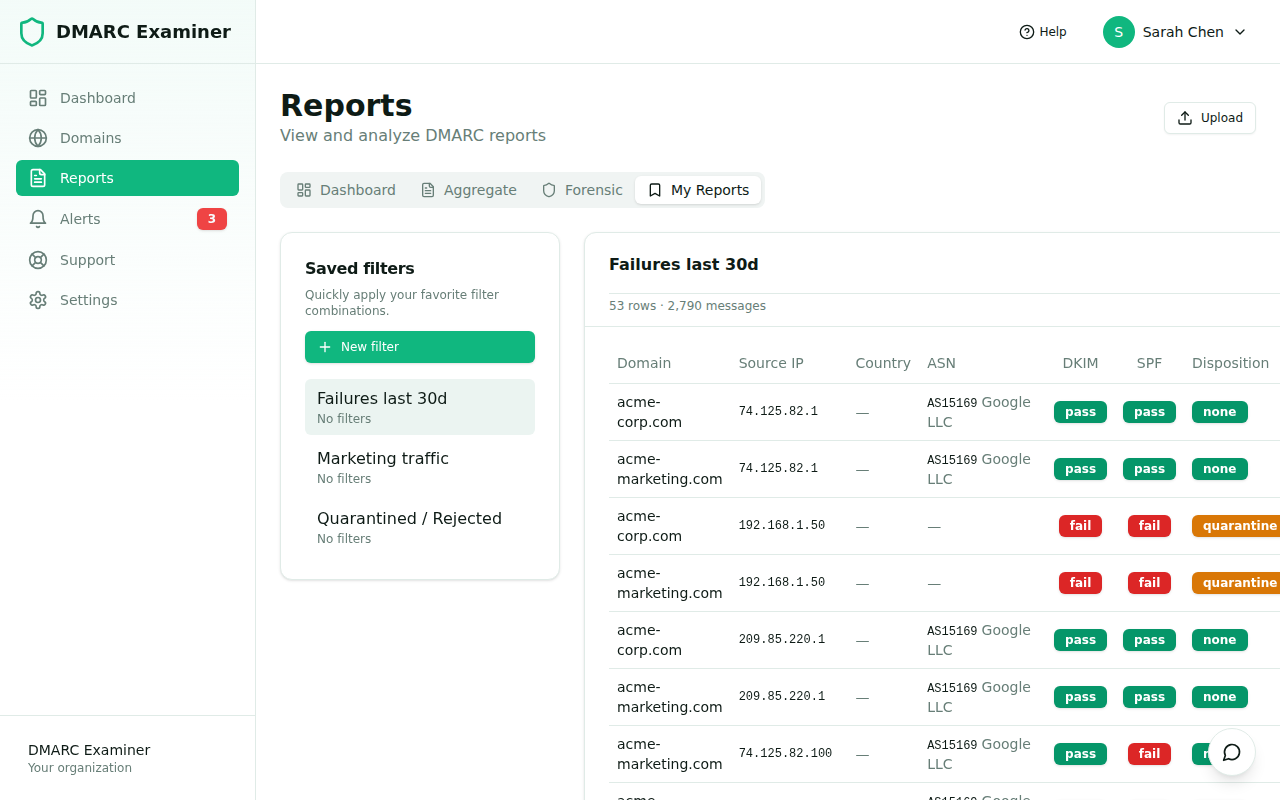
Saved Filters let you persist the criteria you tweak over and over (date range, domains, auth result, country, ASN, source IP) and apply them again with one click. They live in a dedicated My Reports tab inside Reports, alongside the live report list.
Plan: Saved Filters are available on the Basic plan and above (feature flag
customReports).
Why we built this
Filtering the raw report list is fine for ad-hoc exploration, but most teams come back to the same handful of views over and over — "last 7 days of failures on the marketing domain", "everything from a specific ASN", "Spanish-origin spoofing this month". Saved Filters codify those views so you don't have to recreate them on every visit.
The shape of a filter
A saved filter is a named bag of criteria. The supported fields are:
- Date range — pick a relative range (
last_24h,last_7d,last_30d,last_90d,last_365d) or an absolutefrom/to. - Domains — restrict the view to one or more of your verified domains.
- Authentication results — filter by SPF/DKIM/DMARC pass/fail combinations.
- Disposition —
none,quarantine,reject. - Geo / network — country codes, ASNs, substring search on source IP.
If you leave a field empty it acts as "all". Names are unique per user (case-insensitive) so you can iterate freely without polluting your sidebar.
Working with filters
In Reports → My Reports you'll find a sidebar with all your saved filters in alphabetical order. Click one to apply it to the report table on the right.
- New filter opens a form where you pick the criteria and give the filter a name.
- Edit lets you rename or change the criteria. We re-save the same row so the deep-link URL keeps working.
- Delete removes the filter; report data is unaffected.
Sharing and scope
In v1 saved filters are user-scoped — your filters are not visible to teammates. If you need to share a recurring view with the team, the recommended pattern today is:
- Create the filter you want to share.
- Set up a Scheduled Digest pointing at it (see Scheduled Digests).
- Add your teammates as recipients.
A shared scope (org) is on our roadmap.
Caching and performance
Each filter caches its result count for 5 minutes so the sidebar can show "X reports" badges without re-running the query on every render. Heavy queries (long ranges, many domains) are still fast because the underlying dmarc_reports table has compound indices on (domain_id, date_range_begin).
Frequently asked questions
Can I export the result of a filter? Yes — the export buttons (CSV today, branded PDF on Ultimate) operate on the active filter.
How many filters can I have?
There's no hard cap, but the UI is designed for up to ~50 per user. If you need more, consider grouping with prefixes (e.g. domain-acme.*).
Does deleting a domain break my filter? We tolerate stale domain IDs gracefully — the filter still loads and silently ignores domains that no longer exist. Edit the filter to clean it up.