DMARC p=none to p=reject in 4 Weeks: A Week-by-Week Plan
A four-week plan to move DMARC from p=none to p=reject: what to check in your aggregate reports before each step, when to roll back, and the traps.

Introduction
You published a DMARC record with p=none. The aggregate reports are arriving. Now someone asks the obvious question: when do we enforce?
Most guides answer a different question. They explain what none, quarantine and reject mean. If you need that first, read DMARC Policy Explained. This article assumes you know the three policies and need a plan to move through them.
The plan below takes four weeks for a domain with a handful of senders. Each week ends with a gate: a set of numbers your reports must show before you take the next step. If the numbers are not there, you wait. The calendar is a guide. The reports are the criterion.
The Number You Track: Pass Rate per Source
A single global pass rate hides problems. A domain at 97% can have a payroll tool at 0% that sends forty messages a month. Those forty messages are the ones that matter on the day you reject.
Track the DMARC pass rate per sending source: per IP range, grouped by the service that owns it.
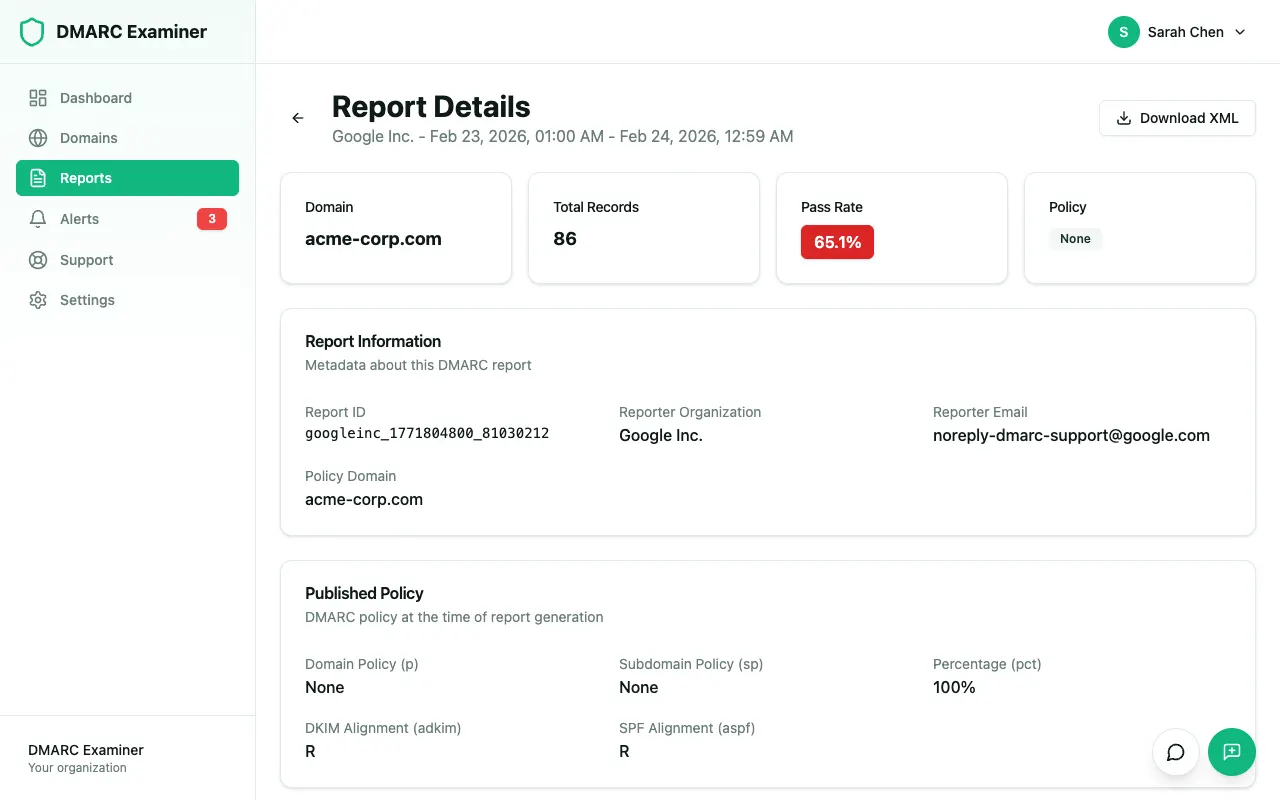
Each record in an aggregate report gives you what you need:
<record>
  <row>
    <source_ip>198.51.100.24</source_ip>
    <count>412</count>
    <policy_evaluated>
      <disposition>none</disposition>
      <dkim>fail</dkim>
      <spf>pass</spf>
    </policy_evaluated>
  </row>
  <identifiers>
    <header_from>example.com</header_from>
    <envelope_from>example.com</envelope_from>
  </identifiers>
  <auth_results>
    <dkim><domain>esp-mail.net</domain><result>pass</result></dkim>
    <spf><domain>example.com</domain><result>pass</result></spf>
  </auth_results>
</record>
Read it in this order:
policy_evaluatedshows the DMARC verdict. Itsdkimandspfvalues already include alignment. Onepassis enough for DMARC to pass.auth_resultsshows the raw checks and the domains used. Here DKIM passed, but foresp-mail.net, notexample.com. That is a pass without alignment.dispositionshows what the receiver did. Atp=noneit is alwaysnone. From week 3 it tells you who got quarantined.
DMARC reports are XML, one file per receiver per day. Reading them by hand works for a week, not for a migration. Paste one into the DMARC XML to Human converter to see the structure, or let a monitoring tool group them by source for you.
Week 1: p=none, Reports and the Sender Inventory
The record:
v=DMARC1; p=none; rua=mailto:dmarc-reports@example.comIf rua points to a mailbox on another domain, that domain must publish an authorisation record (example.com._report._dmarc.otherdomain.com). Monitoring services do this for you. Without it, receivers drop the reports silently.
Leave ruf out for now. Few large receivers send failure reports, and those that do may include message content. You do not need them for this plan.
Lower the TTL of the _dmarc record to 300 seconds now. You want every later change, including a rollback, to take effect in minutes.
The work: build the sender inventory from the reports, not from memory. Group every source IP by owner and put each group in one of four buckets:
| Bucket | Example | Action |
|---|---|---|
| Yours, passing aligned | Google Workspace, Microsoft 365 | None. Keep watching. |
| Yours, failing | CRM, invoicing, helpdesk, a printer that sends scans | Fix in week 2 |
| Forwarders and lists | University alias, Google Groups, a partner's forwarding rule | Explain, do not "fix" |
| Not yours | Unknown IPs in hosting ranges, botnets | This is what p=reject will stop |
Ask each department what they use to send mail. The reports show sources that sent mail this week. They cannot show the quarterly newsletter or the annual renewal run.
Gate to week 2:
- At least seven days of reports from Google, Microsoft and Yahoo
- Every source with meaningful volume is in a bucket
- You know which business cycles have not run yet (month-end invoicing, payroll)
Week 2: Fix SPF and DKIM Alignment, Source by Source
This is the longest week of real work. Go through the "yours, failing" bucket one source at a time.
Prefer DKIM alignment. A DKIM signature survives forwarding. SPF does not, because the forwarder's IP is not in your SPF record. If a source can sign with d=example.com, configure that first.
Use SPF alignment as the second path. Most email service providers support a custom return-path (bounce domain), such as bounces.example.com. With relaxed alignment (aspf=r, the default), a subdomain of your domain aligns.
Typical fixes per source:
| What the report shows | Cause | Fix |
|---|---|---|
| SPF pass, not aligned; DKIM pass for the provider's domain | The provider signs and bounces with its own domain | Enable custom DKIM for your domain and a custom return-path |
| SPF fail for one IP range | The service is missing from your SPF record | Add its include:, and watch the 10-lookup limit |
SPF permerror everywhere |
Two SPF records or more than 10 lookups | Merge into one record |
| DKIM fail for your own domain | Wrong or rotated selector, or a body modified in transit | Check the selector with the DKIM checker |
The details for each case are in Emails Failing DMARC Alignment.
After each fix, wait 24 to 48 hours. Reports cover the previous day, so you will not see the result the same afternoon.
Gate to week 3:
- Every legitimate source passes DMARC above 98% at Google, Microsoft and Yahoo
- Remaining failures are explained: forwarding, mailing lists or spoofing
- No source with real volume is still "unknown"
Week 3: p=quarantine, With a Ramp
The record, first day:
v=DMARC1; p=quarantine; pct=25; rua=mailto:dmarc-reports@example.comThen raise pct to 50 and to 100 over the week, if the reports stay clean.
You need to know the status of pct. RFC 9989, published in May 2026, replaces RFC 7489 and removes the pct tag. It adds t=y (testing mode) instead, which asks receivers to apply one policy level lower. Receivers that already implement RFC 9989 only know t. Many receivers still honour pct today, but you cannot count on a partial value everywhere.
The practical rule: the ramp is a cushion, not a safety net. Do not start week 3 unless you would accept pct=100 on day one.
What to watch in the reports:
disposition=quarantinerows for your own sources. This is the first real signal. Any legitimate source here means a fix from week 2 did not hold.- The
reasonelement inpolicy_evaluated. Values likeforwarded,mailing_list,trusted_forwarderorlocal_policyshow where a receiver overrode your policy.sampled_outmeans the message fell outside yourpctsample. - The helpdesk. Users notice mail in spam before you read the next report.
Gate to week 4:
- At least five days at
pct=100(or withoutpct) - No legitimate source with quarantined messages
- No complaints about missing or junked mail
- The business cycles you listed in week 1 have run at least once under
quarantine
Week 4: p=reject, Subdomains Included
The record:
v=DMARC1; p=reject; sp=reject; rua=mailto:dmarc-reports@example.comCheck subdomains before you write sp=reject. Filter the reports by header_from. Every subdomain that appears there (news.example.com, billing.example.com) must pass like the main domain did. A subdomain with its own _dmarc record uses that record instead of sp. Subdomains that do not exist should never send mail. RFC 9989 adds np for them. Receivers that do not know it ignore it, so np=reject is safe to add.
Mailing lists are the case to think about. RFC 9989 is explicit on two points:
- Receivers must not reject a message only because of
p=reject. Without other evidence, they treat it asquarantine. - Domains whose users post to mailing lists should not publish
p=reject.
Most large list servers now rewrite the From address for domains with a strict policy, which avoids the problem. If your users post to lists that do not, you have two options. Stay at quarantine on the main domain, or keep reject and move people who post to lists to another domain.
Change the record on a quiet day, early in the week. Do not change it on a Friday afternoon.
Rollback Criteria
Decide the rollback rules before you need them, and write down who changes the DNS record.
| Trigger | Action |
|---|---|
A legitimate source shows quarantine or reject dispositions |
Go back one step, fix the source, wait 48 hours |
| The pass rate of a known source drops more than 2 points from one day to the next | Investigate before you move further |
| A critical flow fails (password resets, invoices, orders) | Go back one step at once, then investigate |
| A new, unknown source with high volume | Keep the policy: this is often spoofing, which is what the policy is for |
Go back one step, not to p=none. Going back from reject to quarantine keeps most of the protection while you fix the source.
Common Traps
- One global pass rate. It hides the low-volume source that matters. Track per source.
- Judging from one receiver. Google reports are the largest, but Microsoft and Yahoo can see different paths. Check all three.
- Forwarding counted as failure. Forwarded mail fails SPF and that is expected. Do not add the forwarder to your SPF record. Make sure the original message is DKIM-aligned.
- SPF pass treated as DMARC pass. If
envelope_fromis the provider's domain, SPF passed for them, not for you. - Forgotten subdomains and parked domains. Domains that never send mail should publish
v=DMARC1; p=reject;and an SPF record with-all. - External
ruawithout authorisation. No reports arrive, and the empty dashboard looks like good news. - Stopping at
p=reject. New senders appear every quarter. Atreject, an unauthenticated new tool means mail that never arrives. Keep the reports under watch and alert on new failing sources.
The Four Weeks at a Glance
| Week | Record | Exit gate |
|---|---|---|
| 1 | p=none; rua=… |
Seven days of reports, every source in a bucket |
| 2 | p=none; rua=… |
Every legitimate source above 98% aligned pass |
| 3 | p=quarantine; pct=25 → 100 |
Five clean days at 100%, no quarantined legitimate mail |
| 4 | p=reject; sp=reject |
Ongoing monitoring and alerts |
Next Steps
- Build the record for each step: DMARC Record Generator →
- Read a report by hand: DMARC XML to Human →
- Check SPF, DKIM and DMARC together: Domain Score →
- Monitor week 1 from day one: Start free → — DMARC Examiner groups your aggregate reports by sending source, so you see the pass rate per source and every unknown sender. The free plan covers one domain.
Related Articles:
Ready to improve your email deliverability?
Start monitoring your DMARC reports and get insights into your email authentication setup.
Start Free TrialRelated Articles
 getting started
DMARC Record Examples: 10 Ready-to-Use TXT Records
Copy-ready DMARC TXT record examples for monitoring, quarantine, reject, subdomains, parked domains and external reporting, with every tag explained under RFC 9989 and how to do a DMARC lookup.
 best practices
Your Remote MCP Server Will Fail Every Directory Check. Here Is Why
MCP directories verify a server by starting it in a container with no browser. A remote server that authorizes at startup times out and gets no score. The fix, with the logs from five failed build tests and the change that fixed them.
 best practices
Gmail & Yahoo Email Sender Requirements: Complete Compliance Guide
Complete guide to Gmail and Yahoo's email sender requirements. Learn what's required, who's affected, and how to comply with authentication rules.